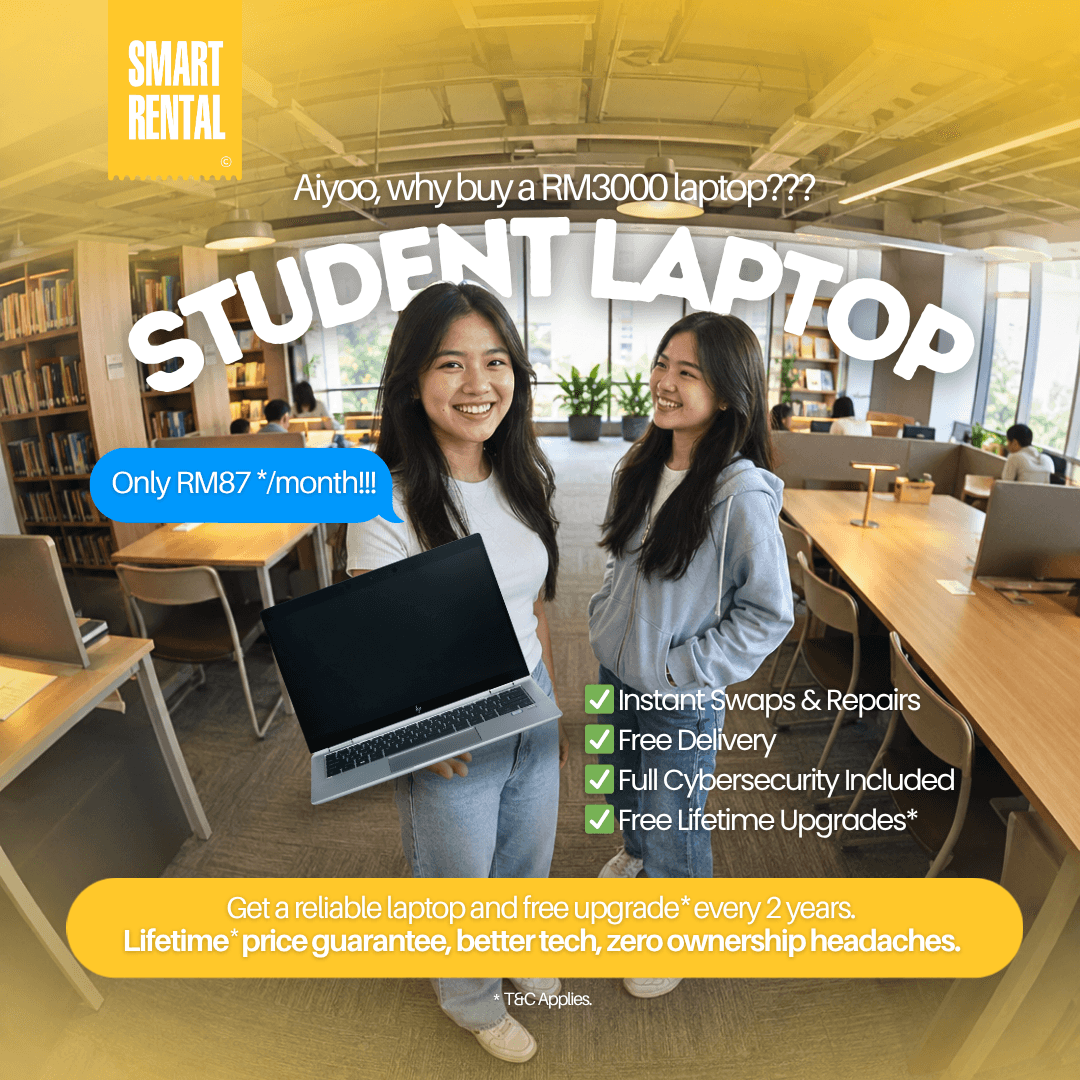
A laptop failure two weeks before finals is not just inconvenient. It can mean missed deadlines, rushed repairs, and a sudden expense that most student budgets cannot absorb. Laptop rental for students offers a practical alternative: access to a dependable device now, with a predictable monthly cost and support when something goes wrong.
For students balancing tuition, transport, housing, and everyday expenses, buying a new laptop upfront is not always the smartest use of cash. Renting can keep money available for the costs that cannot wait while still providing the technology needed for coursework, online classes, research, and group projects.
When a Student Laptop Rental Makes Sense
A rental is especially useful when your need has a clear timeframe. Perhaps you need a laptop for one semester, an internship, a professional certification course, or the final year of a degree. It can also make sense when your current device is being repaired, when a shared family computer is no longer enough, or when a specific class requires software your old laptop cannot run reliably.
The main benefit is flexibility. Instead of paying a large amount before you know exactly what your course demands, you can select a plan based on the period you actually need. Short-term rentals can help during an urgent situation, while 12- to 36-month subscriptions are often more suitable for students who need a consistent device throughout their studies.
That said, renting is not automatically the best choice for everyone. If you have a stable budget, expect to use the same computer for many years, and are comfortable arranging repairs yourself, purchasing may cost less over a long enough period. The value of renting is not just the device. It is the lower upfront commitment, access to support, and reduced risk of an unexpected hardware bill.
Choose a Laptop for Your Course, Not Just the Price
The cheapest available laptop can become expensive if it freezes during online exams, cannot run required applications, or needs replacing halfway through a project. Before choosing a student rental plan, start with your actual workload.
For writing, research, and online learning
Students in business, humanities, education, and many general programs usually need a laptop that handles web browsing, video calls, documents, spreadsheets, and multiple open tabs without slowing down. A modern entry-level business laptop with sufficient memory and a solid-state drive is generally a more comfortable choice than an older device with limited storage.
Look for a clear webcam and microphone if remote classes are part of your schedule. Battery condition matters too, especially if you spend long hours moving between lectures, libraries, and study spaces.
For coding, design, and data-heavy work
Computer science, engineering, architecture, media, and design students should check course requirements before ordering. Programming tools, virtual machines, CAD software, video editing applications, and large datasets can demand more processing power, memory, and storage.
Do not assume a high-end laptop is necessary just because your course is technical. A first-year coding student may only need a reliable mid-range machine, while a final-year design project may require a dedicated graphics card or a stronger processor. Ask your instructor for the required software names and minimum specifications. That one step helps you avoid paying for power you will not use or renting a device that cannot keep up.
For campus and hybrid study
Portability is part of performance. A powerful but heavy laptop may sit at home if it is awkward to carry across campus. Consider screen size, weight, charging needs, and the ports required for presentation screens, external drives, or a second monitor.
A 14-inch laptop is often a balanced option for students who travel regularly. A larger screen can be helpful for design work or split-screen research, but it may be less convenient for daily commuting. The right choice depends on where and how you study.
Compare the Full Rental Cost, Not Only the Monthly Figure
A low monthly payment is attractive, but it should be understood in context. Check the rental duration, any upfront payment, delivery arrangements, device condition, included accessories, and what happens at the end of the agreement. Ask whether the plan includes technical help, maintenance, and protection for accidental damage or hardware failure.
The most useful plans make the total commitment easy to understand before you place an order. This is particularly important for students managing a fixed monthly allowance or part-time income. Predictable payments can be easier to plan around than a surprise replacement purchase, but only if the terms match your study timeline.
Also consider whether your needs may change. If you are starting a short course, a long subscription may be unnecessary. If you are entering a three-year program and need a dependable computer from day one, a longer plan may provide better monthly value. Match the duration to your academic calendar rather than simply choosing the shortest or longest option.
Support Can Matter More Than an Extra Feature
When an assignment is due, students need answers, not a support ticket that sits unanswered for days. This is where a managed rental service can be different from buying a used laptop from an individual seller.
A reliable provider should explain what happens if the laptop develops a fault, needs maintenance, or arrives with an issue. Technical support, preventive maintenance, and optional protection can reduce the disruption of a device problem. For students who are not confident troubleshooting hardware, that support can be as valuable as the laptop itself.
Smart Care Insurance, for example, may be worth considering if your laptop will travel daily in a backpack, be used in shared accommodation, or be handled by younger family members. Review what is covered and what is excluded before adding any protection plan. Insurance is most useful when it solves a risk you would struggle to pay for yourself.
What to Check Before You Order
Before committing to a laptop rental for students, take ten minutes to confirm the practical details. Make sure the operating system works with your school platform and required software. Check the processor, memory, storage, screen size, webcam, charger, and available ports. If your classes use Microsoft Office, specialized engineering tools, or creative applications, confirm that the device can support them.
It is also smart to ask about delivery timing. Do not wait until the first week of class if you can avoid it. Ordering ahead gives you time to sign in to your school accounts, install approved applications, transfer files, and learn the keyboard and settings before deadlines begin.
When the laptop arrives, inspect it promptly. Test the charger, Wi-Fi, webcam, speakers, keyboard, trackpad, and battery. Save the provider’s support contact, take note of the return condition requirements, and keep the packaging if requested. These small habits make any future service request or return much simpler.
A Practical Option for Families and Independent Students
For families, renting can spread the cost of technology across manageable monthly payments rather than requiring one large purchase for each child. It can be particularly helpful when several students need devices at the same time, or when a parent wants a clear support contact instead of handling every technical issue alone.
For independent students, a subscription can offer breathing room. You can focus on producing work, attending classes, and building skills rather than worrying that one damaged screen will derail the semester. Smart Rental is built around this kind of flexible access, combining business-ready devices with delivery coordination, maintenance, and responsive support.
A laptop should help you show up prepared, not create another financial obstacle. Choose a device and plan that suit your real course requirements, your schedule, and your ability to handle surprises. That is what spending smart on study technology looks like.